
Turn 1 Idea Into Multiple Pieces of Content
Use one source idea or piece of content to create a blog post, social posts, newsletter copy, and supporting content without starting from scratch each time.
Best for: creators, marketers, small business owners
Built Using: ChatGPT
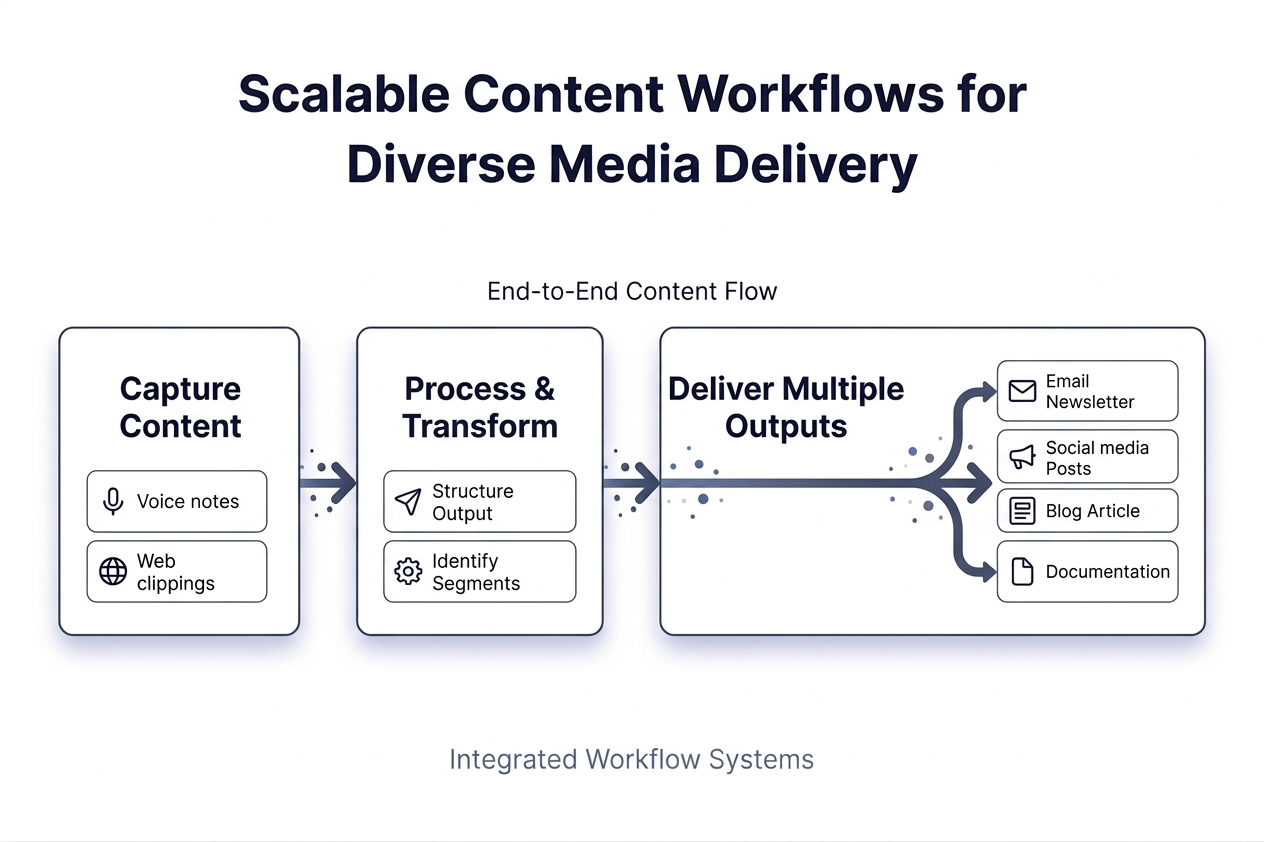
The Problem
Most content is created one piece at a time.
Inconsistent Output
Content lacks structure and consistency across platforms.
Repeated Effort
The same work is done over and over without reuse.
Constant Idea Pressure
New ideas are required constantly to maintain output.
Even strong ideas are often used once instead of being expanded into multiple pieces of content.
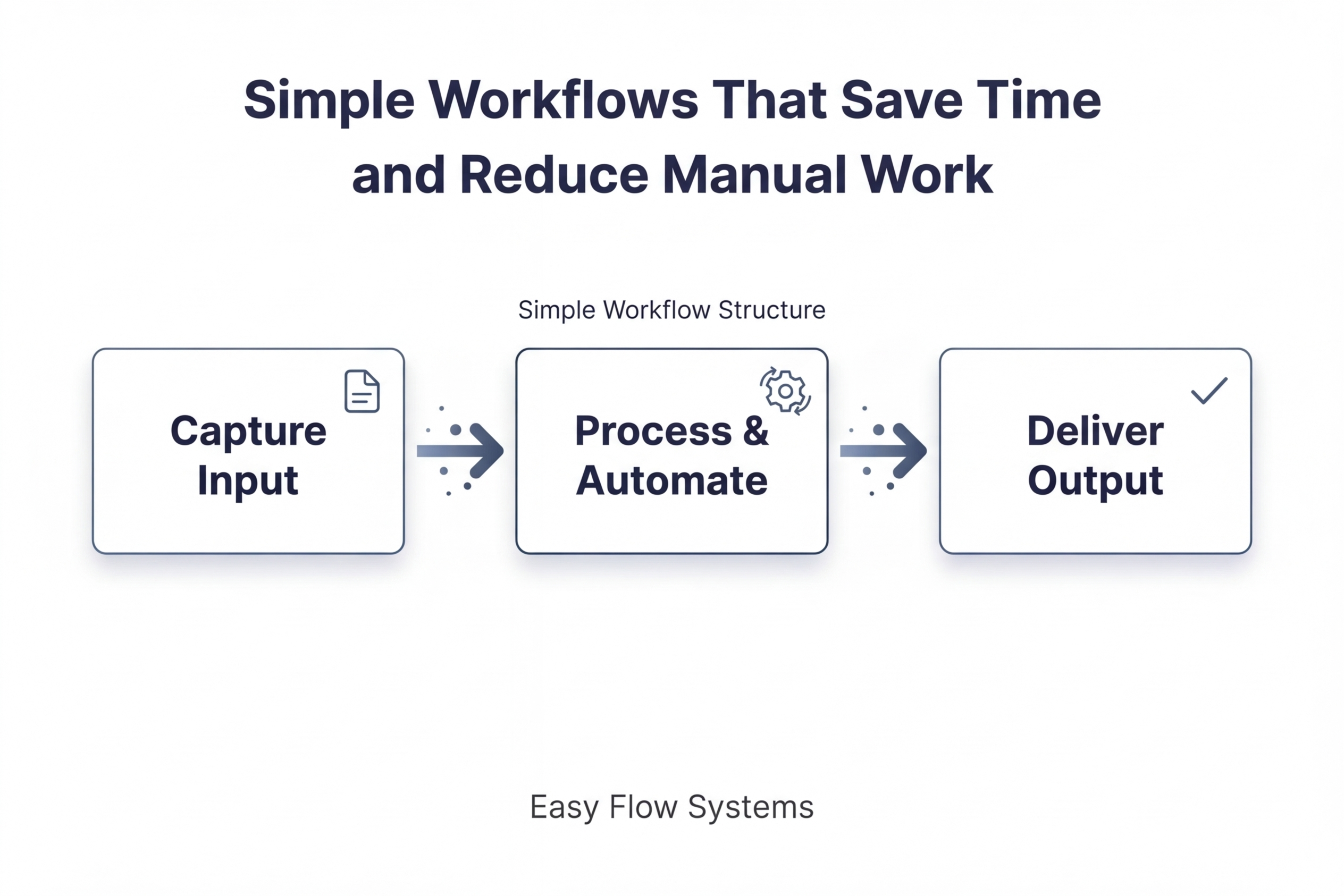
The Workflow
This workflow turns a single idea into a structured system for creating multiple pieces of content.
Step 1 — Capture
Idea
Notes
Input
Step 2 — Process & Transform
Structure
Organize
AI-assisted
Step 3 — Deliver
Step 3 — Deliver
Blog
Social
Email
The Guide
How to Actually Use This Workflow with ChatGPT
This guide shows how to take one issue, idea, or source asset and use ChatGPT to turn it into multiple pieces of content without starting from scratch each time.
Important: Think of AI as a personal assistant, not an executive. The human provides the direction, judgment, and standards. AI helps execute on that direction faster.
Simple rule: you decide what the content should say, who it is for, and what matters. AI helps brainstorm, structure, expand, rewrite, and repurpose.
Start Here
If you only follow one path, follow this one:
- Start with one real issue or question.
- Use ChatGPT to brainstorm content angles around it.
- Choose one angle and build a short content brief.
- Generate one master draft.
- Turn that draft into blog, email, and social outputs.
- Review everything before publishing.
That’s the full system in its simplest form.
Step 1 — Start with a Real Issue or Topic
Do not start by asking ChatGPT to “give you content.” Start with a real issue you want to talk about.
That issue can come from:
- a customer question
- a common business problem
- a lesson learned
- a mistake people keep making
- something you have explained more than once
Example Issue
Issue: Small business owners create content inconsistently because they keep starting from zero every time.
Core topic: How to reuse one idea instead of creating every post from scratch.
Help me turn the following business issue into content ideas.

Business issue:
Small business owners create content inconsistently because they keep starting from zero every time.

Give me:
1. 10 possible content angles
2. 5 strong audience pain points
3. 5 possible headlines
4. 3 educational angles
5. 3 practical examples I could use
Goal: use ChatGPT to brainstorm around a real issue, not to generate random content with no context.
Step 2 — Choose One Angle and Build a Content Brief
Once ChatGPT gives you multiple angles, choose one. Then turn that angle into a short brief before writing.
Your brief should include:
- main topic
- who it is for
- the one takeaway
- 3 to 5 supporting points
- one example to include
- the tone you want to use
Take this content angle and turn it into a simple content brief.

Content angle:
Why starting from one core idea makes content easier to produce consistently.

Create:
1. a one-sentence topic statement
2. the target audience
3. the main takeaway
4. 5 supporting points
5. one example
6. one clear call to action
7. a recommended tone
What you should have now
A clear angle, a defined audience, one main takeaway, and enough structure to create a full draft without guessing.
Step 3 — Create the Master Draft
Use the brief to create one strong master version first. This is the source that the rest of your outputs will come from.
Your master draft can be:
- a blog draft
- a long-form post
- a newsletter draft
- a clean outline with expanded points
Using the following content brief, write a clear long-form draft.

Requirements:
- Start with a strong introduction
- Use clear subheadings
- Explain each point simply
- Include one practical example
- End with a short conclusion
- Keep the tone practical and easy to understand

Content brief:
[PASTE CONTENT BRIEF HERE]
You can also ask ChatGPT to create this as a blog post, long LinkedIn post, video script, or newsletter draft depending on your preferred source format.
Step 4 — Extract Reusable Content Units
Once the master draft is built, separate it into smaller reusable parts. This is where one piece starts turning into many.
Ask ChatGPT to extract:
- hooks
- short quotes
- bullet points
- mini lessons
- caption ideas
- CTA lines
Extract reusable content units from the draft below.

Give me:
1. 8 hooks
2. 5 short quotes
3. 5 social post ideas
4. 5 caption ideas
5. 3 email subject lines
6. 3 CTA lines

Draft:
[PASTE MASTER DRAFT HERE]
Think of this as building a content bank. Once these pieces are extracted, publishing gets easier.
Step 5 — Generate Each Final Format
Now take the master draft and reusable content units and turn them into final outputs.
Here’s exactly what to do next: use the same source content and rewrite it into different formats instead of creating each format from zero.
Generate Social Posts
Turn the following draft into 5 short social media posts.

Requirements:
- each post should focus on one idea
- start with a strong hook
- keep each post concise
- make them easy to scan

Draft:
[PASTE MASTER DRAFT HERE]
Generate a Newsletter Version
Rewrite the following content as a short newsletter.

Requirements:
- make it conversational
- focus on one clear takeaway
- keep it short and useful
- end with a simple CTA

Content:
[PASTE MASTER DRAFT HERE]
Generate a Blog Version
Turn the following brief into a blog article.

Requirements:
- use a clear headline
- add subheadings
- explain points in simple language
- make it useful, not promotional

Brief:
[PASTE CONTENT BRIEF HERE]
Generate Caption Variations
Create 10 caption variations from the content below.

Requirements:
- short
- direct
- usable for social posts
- some educational, some conversational

Content:
[PASTE MASTER DRAFT HERE]
What you should have now
One main draft, several social posts, an email version, captions, hooks, and multiple ways to reuse the same idea.
Step 6 — Adjust for Platform Fit
The same idea should not be posted the exact same way everywhere. Use ChatGPT to adapt tone, structure, and length for each platform.
Rewrite the following content for [PLATFORM].

Adjust for:
- tone
- length
- formatting
- audience expectations

Platform:
[LinkedIn / Email / Blog / Instagram caption / X post]

Content:
[PASTE TEXT HERE]
This keeps the message consistent while making the format fit the channel.
Step 7 — Save the Outputs for Reuse
Once ChatGPT has generated the outputs, save everything in one place.
Keep:
- the original issue
- the chosen angle
- the content brief
- the master draft
- social posts
- newsletter version
- captions and hooks
This is what turns content creation from a one-time task into a reusable workflow.
Quality Check: Keep the Content Accurate and Useful
AI speeds up content creation, but it should not replace judgment. Before publishing, review your content to make sure it is accurate, clear, and aligned with your audience.
1. Validate the Core Idea
When: after the brief is created.
What to check:
- Does this solve a real problem?
- Would your audience actually care about it?
- Is the angle specific enough?
- Does it sound like something you would actually say?
If the idea is weak, everything after it will be weak.
2. Review the Master Draft Carefully
When: after the long-form draft is generated.
What to check:
- Are there any factual claims that need verification?
- Did AI assume anything incorrectly?
- Is the draft clear, or is it padded with vague filler?
- Does it include useful examples or just general language?
Review the following content and improve it.

Focus on:
- removing vague or generic statements
- improving clarity
- making it more specific and useful
- tightening the language
- flagging anything that may need fact-checking

Content:
[PASTE DRAFT HERE]
3. Watch for AI Drift
What drift looks like:
- the content gets longer but not better
- the same ideas get repeated
- the tone becomes robotic
- the original point gets diluted
What to do:
- cut repetition
- remove weak sections
- simplify the language
- bring the draft back to one main point
4. Review Each Output for Format Fit
When: after social posts, newsletter copy, captions, or blog sections are generated.
What to check:
- Social posts: one clear idea, strong opening line, short enough to scan
- Newsletter: one clear takeaway, direct and useful
- Blog: clear structure, easy to scan, specific examples
- Captions: conversational, not over-explained
Each format should feel intentional, not copied and pasted.
5. Do a Final Human Pass
Before publishing, ask:
- Would I actually read this?
- Would I save or share this?
- Does this sound like a human wrote it with a clear point?
- Is this genuinely useful or just filled with words?
If the answer is no, revise it before publishing.
Publishing rule: AI can assist with brainstorming, structuring, drafting, and repurposing. A human should still review the output before publishing to make sure it is accurate, useful, and aligned with the intended audience.
Full Example
Issue: Business owners struggle to stay consistent with content.
Chosen angle: Why one core idea should produce multiple pieces of content.
Master draft: A practical article explaining how to start with one topic, structure it, and repurpose it.
Outputs created from that draft:
- 1 blog post
- 1 newsletter section
- 5 short social posts
- 10 captions
- multiple hooks and CTA lines
Quick Start Version
- Start with one real issue or question.
- Use ChatGPT to brainstorm angles around that issue.
- Choose one angle and build a simple content brief.
- Generate one master draft.
- Use ChatGPT to turn that draft into social posts, email content, captions, and other outputs.
- Review the content carefully before publishing.
- Save everything so the same idea can continue producing content later.
Explore
Legal
© Easy Flow Systems
Easy Flow Systems publishes practical workflows built from real-world use of tools.
Tools are referenced based on their role within workflows — not as standalone recommendations.
This site may contain affiliate links. We may earn a commission at no additional cost to you.
Powered by VAMO Digital Inc.